Showing posts with label white balance. Show all posts

Custom/Preset White Balance with the ExpoDisc

I'm always on the lookout for neat photography tools and my latest purchase has given me great results.
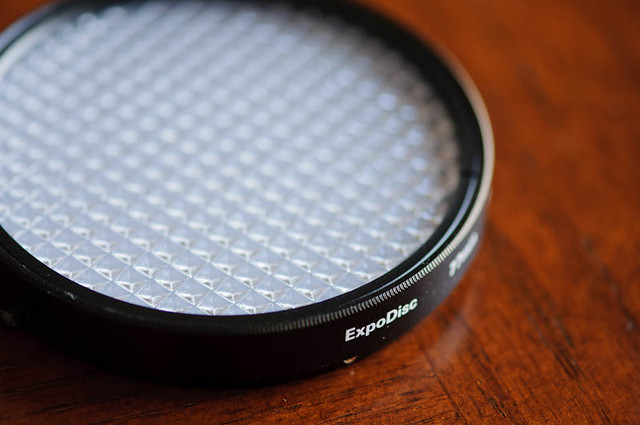
Expodisc
It's an ExpoDisc, a white balance filter, used to achieve accurate white balance results.

You use it to set a Custom or Preset White balance on your DSLR, much like you would use a grey card. The difference is that you place the ExpoDisc on your lens and shoot through it at the light source rather than shooting at a grey card. Because you shoot through it, it gives more accurate white balance results than a grey card.

Here is an example of the ExpoDisc results (all photos are SOOC).

Using the Auto White Balance setting on my D300, I snapped a picture of a bamboo plant sitting by the kitchen window in the morning sun:
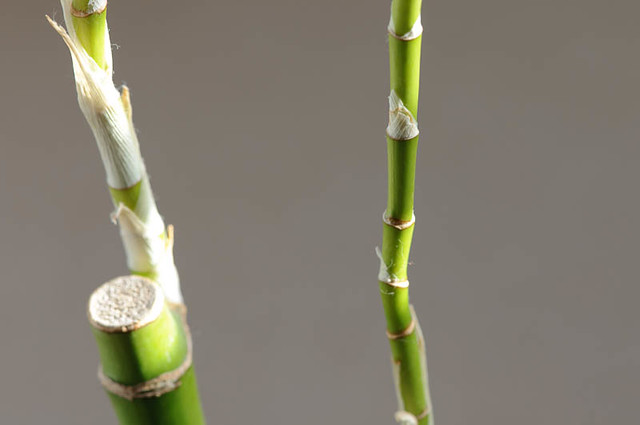
Stalks

Auto White Balance does the best it can to estimate the proper white balance, but has rendered the scene on the cool side. The resulting photo doesn't represent what my eye saw - no golden morning light on the stalks.

After using the ExpoDisc to set a Custom / Preset White Balance, here is the result:
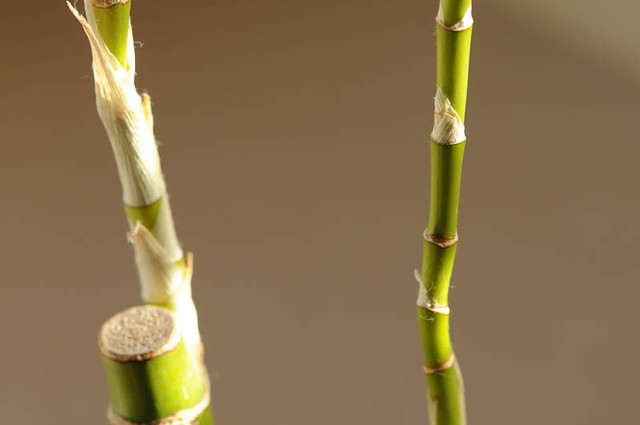
Stalks, WB
This is what the bamboo really looked like in the morning light.

Normally, I don't get all that excited about White Balance because I shoot in RAW format and can adjust the White Balance in post processing. But sometimes that can take a long time. I was really happy with the ExpoDisc results and happier to have one less thing to monkey with in post processing. Hopefully I'll be disciplined enough to take the time during while shooting to set that Custom white balance.

Finally, one more shot of the little bamboo plant that sits by the kitchen window.
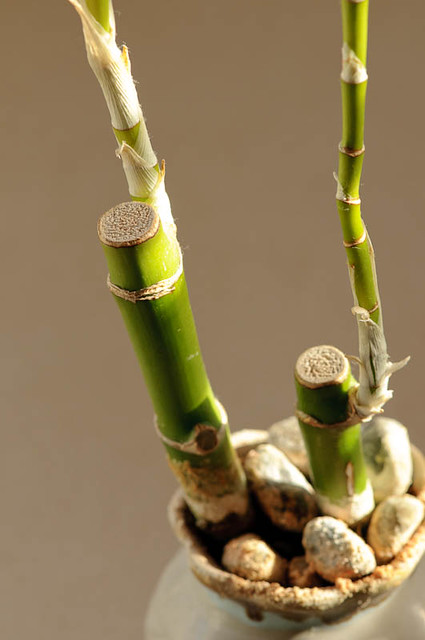
Sunlit

Linking up with Deb Duty and This or That Thursday

Read more...

White Balance Preset

I also posted this on my personal blog, and since it is photography related, thought I would post here, too.

Today's photography lesson - using the White Balance Preset on my camera. I even read the manual for the instructions on how to do this. I used White / Black / Grey / RAW Grey Card I had (taken out of my How - To - PSE 4.0 book by Scott Kelby).

Picture of the card, using Auto White Balance. Ugg - This has never been the D70's strong suite. Yeah, it is supposed to be white, black, grey and light grey.


Still using AWB, a picture of my CK magazine that arrived in the mail:


Then, I set the White Balance Preset, using the RAW White Balance section (a really light grey), then took the pictures again, with far better results:

See, the colors are right!


Now, setting the WB preset can take time and sometimes you just don't have time. This is why I shoot in RAW and adjust the WB in my Post processing step. In fact, I had to adjust many of the other pictures. I'm pretty sure the AWB has improved on the latest Nikon cameras, so I'll enjoy it when I finally buy that D300.

Read more...

Followers

Copyright Notice

All images on this blog (unless stated) are the intellectual property and copyright of Shirley LeMay Photography and Shirley Behind the Lens (© 2005-2020). Do not steal, borrow or pirate the images here.

The copyright law of the United States (Title 17, United States Code. and the Digital Millennium Copyright Act) prohibits the use of digital property to be used without the consent of its owner.

Blog Archive

Label Cloud

Related Posts Plugin for WordPress, Blogger...

  © Blogger template Shush by Ourblogtemplates.com 2009

Back to TOP